Adding users in the dashboard Bankruptcy List is done by creating subaccounts under a single active subscription.
This means that the entire organization uses a single login, but each user works from their own account.
👉 With sub-accounts, your organization can work with standardized data, using shared debtor filters and search histories.
👉 Instead of sharing a single password with multiple people, each employee logs in to their own account, ensuring the security and stability of the system.
What should you know?
Access to the service is managed by the main account, which is the account of the subscription owner. Other users are added and removed from this account.
- Each person you want to add to a shared subscription must have their own separate account on the iMSiG.pl.
- Such an account can then be assigned as a subaccount under the main account, granting it access to the Bankruptcy List dashboard.
A single user account can be active on only one device at a time. Logging in to the same account from another computer or phone will automatically log you out.
The recommended and secure approach is to use individual subaccounts for each user. This allows the team to work simultaneously without interrupting sessions or having to share login credentials.
Step 1: Create a new account
Before you add a collaborator to your subscription, they must first create their own account on the iMSiG.pl.
To do this, you need to:
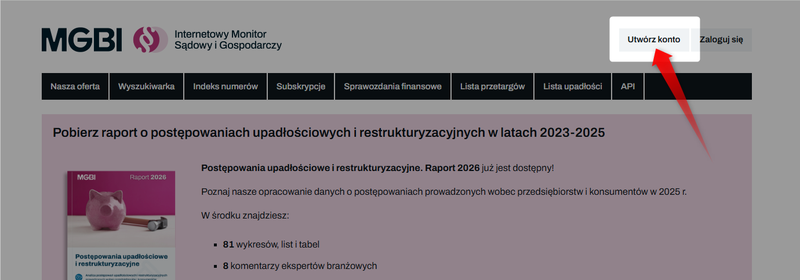
1️⃣ Go to the new account registration page: iMSiG - Create an account
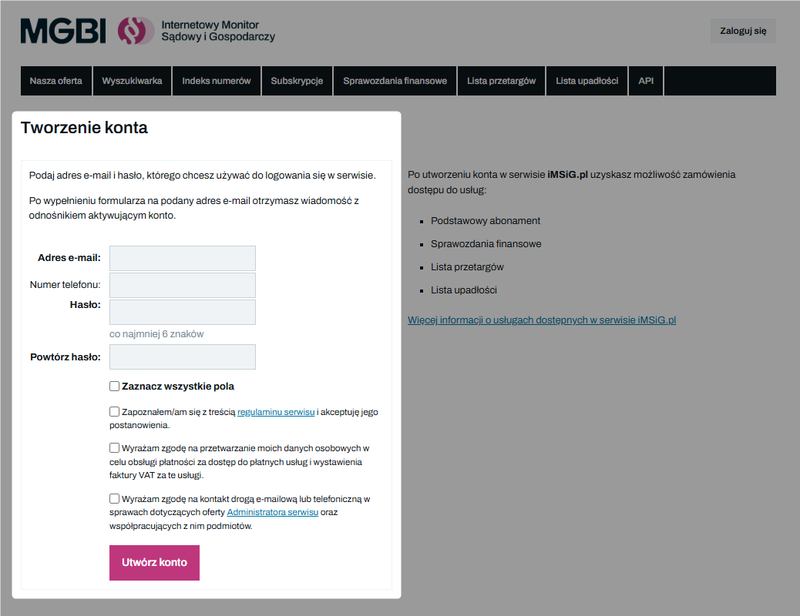
2️⃣ In the registration form, enter your email address using only lowercase letters (the system is case-sensitive) and choose a password.
3️⃣ After filling out the form, you must confirm your account by clicking the activation link sent to you via email.
Only an active user account can be linked to a subscription on the main account.
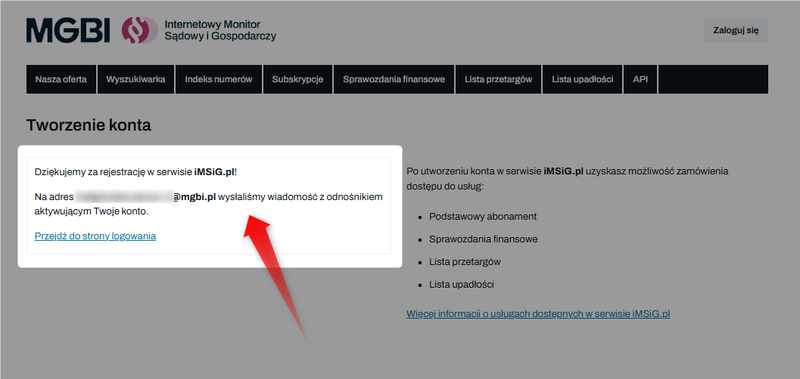
If the message doesn't appear in your inbox within a few minutes, check your "Spam" or "Junk" folder.
We also recommend adding the mgbi.pl domain to the list of trusted domains in your mail server settings.
Step 2: Connect to the main account
Once the account has been successfully registered and activated, the system will allow you to assign the new user to the main account.
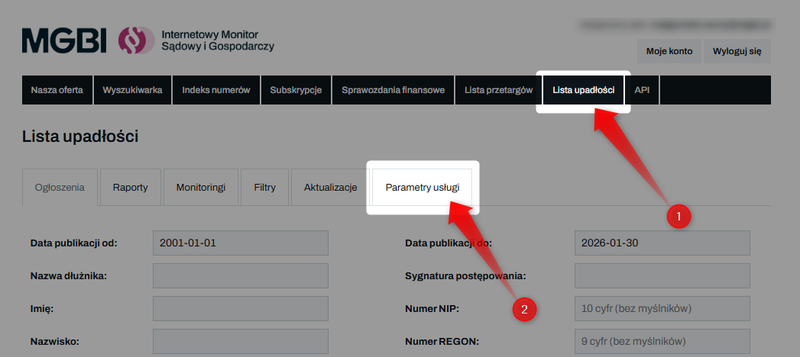
To do this, log in to your organization's main account, go to "Bankruptcy List" in the top menu, and then select the "Service Settings" tab.
In the "Users" section, enter the email address your colleague used to register their account on iMSiG.pl.
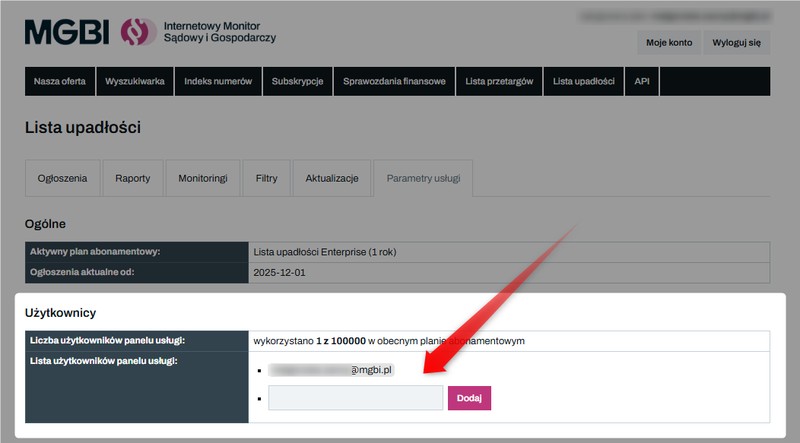
Save your changes by clicking the "Add" button.
From this point on, the user will have access to the Bankruptcy Lists dashboard in their account, as part of your subscription.
User Management
User management is based on a few key principles:
✅ Users can only be added or removed from the main account—that is, the account of the subscription owner.
✅ Each added user accesses the dashboard through their own account, which is linked to the main account.
✅ You cannot change the email address for your main account through the dashboard. To do so, please contact us directly.
✅ All users assigned to the main account share a common quota pool. This means that every search, report, or operation performed by any subaccount reduces the monthly quota for the entire organization.
✅ A single API key is generated for the shared subscription and can be viewed in the "Service Settings" tab. This key can be used to integrate with external systems (e.g., CRM) and is available to all users assigned to the main account.
User limit
The number of users who can access the Bankruptcy List dashboard at the same time depends on the subscription plan selected.
You can find a detailed description of the plans, limits, and prices here: Bankruptcy List - Price List