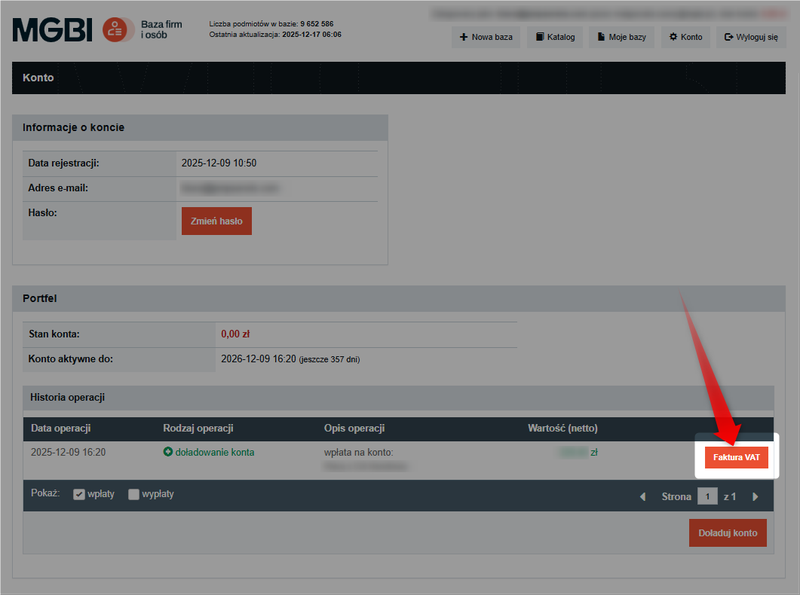
Every payment made on the Business and People Directory website results in the automatic issuance of a VAT invoice. You can download the document at any time from your user account.
VAT invoices are issued only for payments (wallet top-ups). Transaction statements are processed as balance debits and do not constitute grounds for issuing an invoice.
Do you have questions about payments? Check out the guide: How do I add funds to my account on the website?
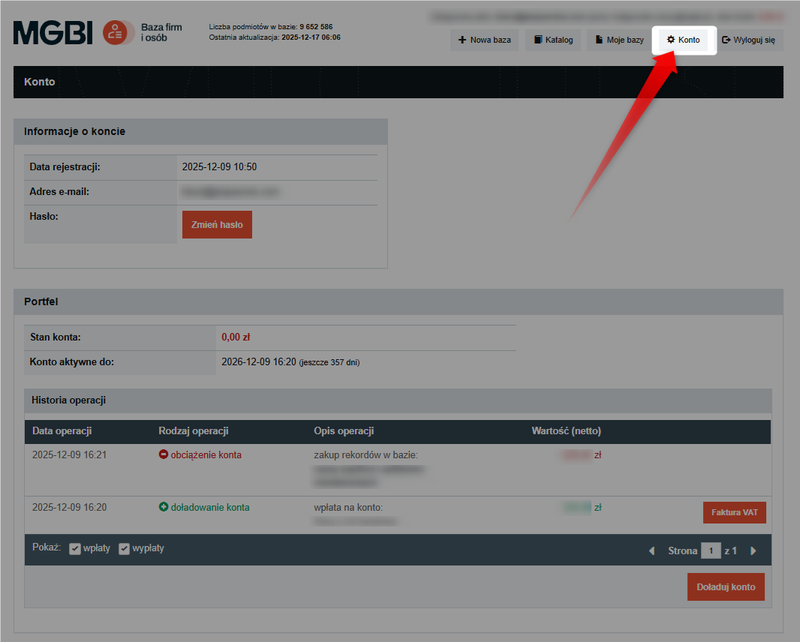
Step 1: Go to the "Account" tab
Log in to the website, then click the "Account" button in the top menu.
Step 2: "Operation History" section
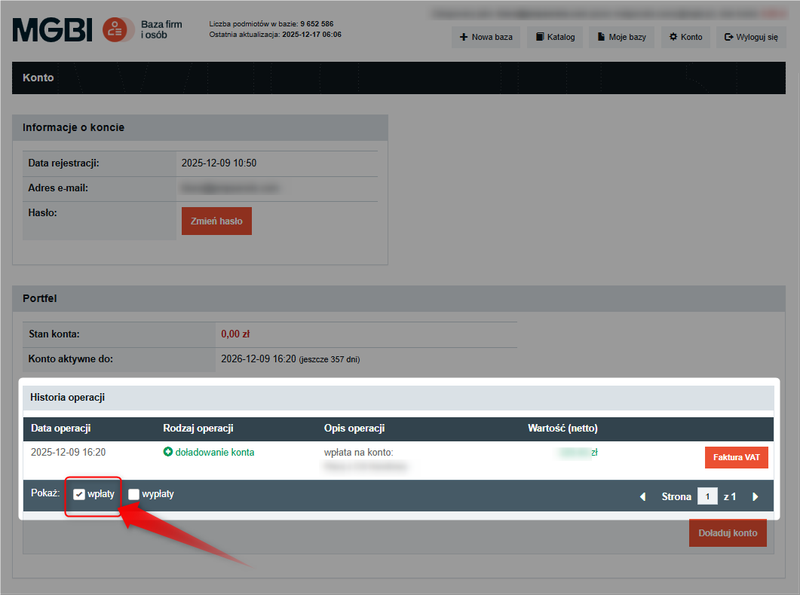
In the "Account" tab, go to the "Wallet" section, then to "Transaction History." The list displayed includes all transactions on your account—both deposits and debits.
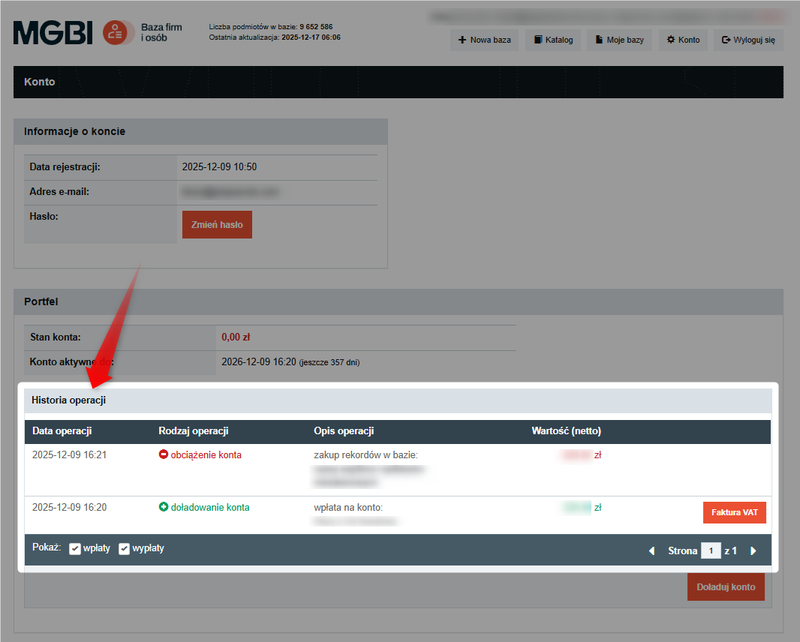
In the "Show" filter section , select the "Deposits" option . This will allow you to view only those wallet top-ups for which VAT invoices have been issued.
You can uncheck the "Withdrawal" option—it applies only to charges related to generating statements.
Step 3: Download the VAT invoice
For each top-up entry (transaction type: account top-up), a "VAT Invoice" button is available.
Click this button next to the selected payment to download the invoice.