
Ad search engine in Bankruptcy List is a tool that allows for manual verification of the legal status of business partners.
The system integrates data from the National Debt Register (KRZ) and the Court and Economic Monitor (MSiG), enabling a swift response when signs of insolvency emerge.
Access to the classifieds search engine
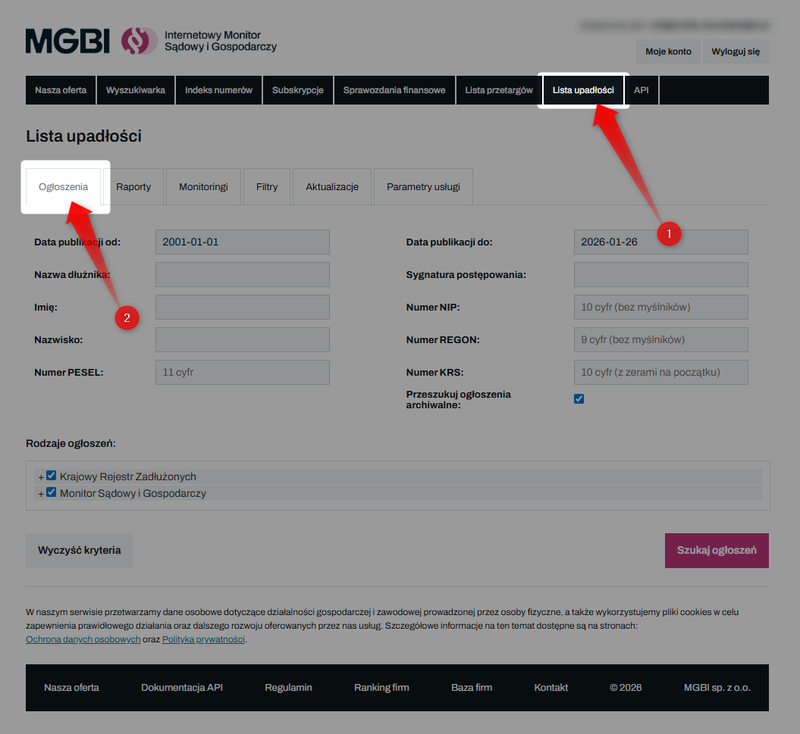
To start checking a debtor, log in to the website iMSiG.pl and go tothe “Bankruptcy List”tab. Then selectthe “Announcements”section.
Identification of the debtor
You can search for listings using unique identifiers. Depending on the type of entity, you can use:
- Individuals → PESEL number or first and last name.
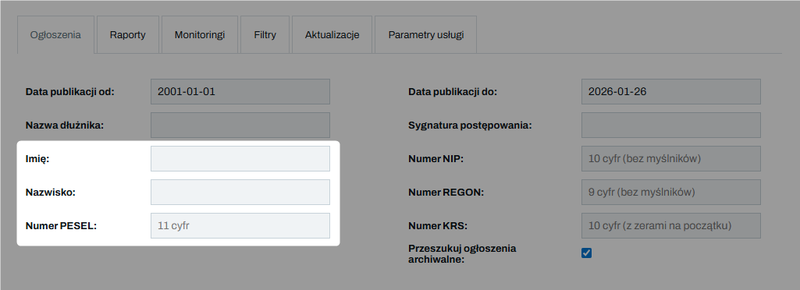
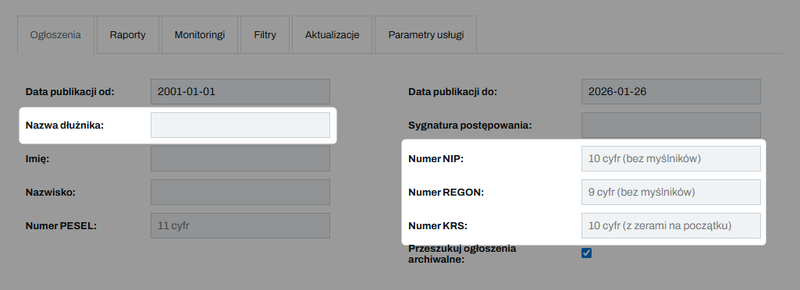
- Business entities → Tax ID ( NIP), REGON, KRS numbers, or part of the company name.
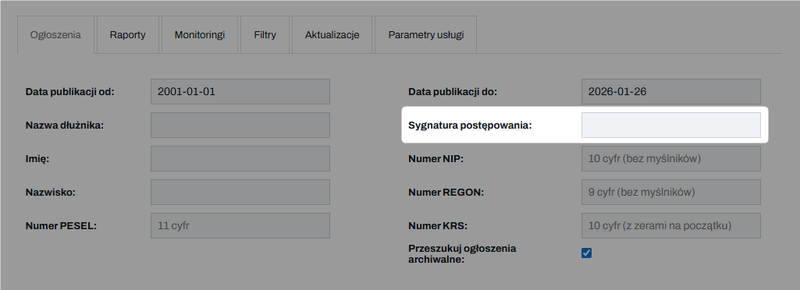
- Case number → If you know the specific reference number of the court file (e.g., the case number from the KRZ or MSiG), enter it inthe “Case number”field.
In the Mini and Standard plans, searching for current listings always requires entering a specific debtor ID (e.g., a tax ID number or personal identification number).
The Pro and Enterprise plans allow you to search current listings without specifying a particular debtor (e.g., all listings from a given period).
How do you read file references?
Case reference numbers are alphanumeric. The National Debt Register, which has been in operation since December 1, 2021, introduced a new, structured case numbering system to replace the old format.
Example: KRK1/GUp/123/2023
- "KRK1" – court code (in this case: District Court for Kraków-Wschód in Kraków, 8th Commercial Division for Bankruptcy and Restructuring Cases)
- "GUp" - case file (bankruptcy case following the declaration of bankruptcy)
- "123" – the next case number for that year
- "2023" – year the records were created
In the "repertory" field, you'll find abbreviations that will help you quickly identify the type of case:
✅ Bankruptcy
- GU - bankruptcy proceedings,
- GUp – cases in which bankruptcy has been declared (handled after the issuance of the order).
✅ Restructuring
- GR– cases concerning the initiation of restructuring proceedings,
- GRp– expedited composition proceedings,
- GRs– rehabilitation proceedings,
- GRz– layout approval.
Setting the date range
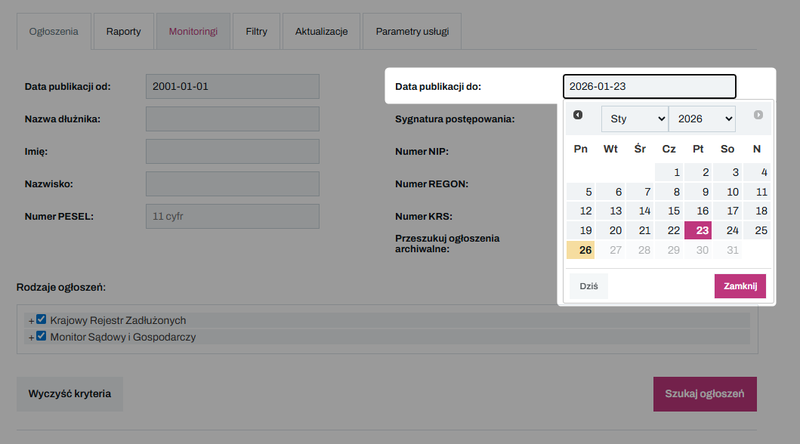
The website's database contains listings published since January 1, 2001. When selecting a search period, keep these two rules in mind:
➡️ The "previous day" rule
Set the end date of the search period to the previous day. Data in the KRZ is often updated late in the evening, so the full set of listings for a given day is not available until the following morning.
➡️ Delay at MSiG
Publications in the Court and Economic Monitor typically appear a few days after the court entries. Keep in mind, however, that the date of publication of the notice in the Court and Economic Monitor often marks the start of important legal deadlines, such as the deadline for filing claims.
Selecting the source and type of ads
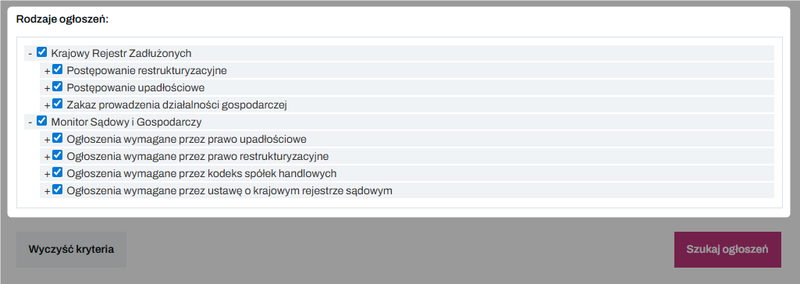
By default, the search engine searches both available sources (KRZ and MSiG) and all types of proceedings. However, you can narrow down the results, for example:
- select only notices concerning bankruptcy proceedings, restructuring proceedings, or business suspension orders,
- limit the search to announcements regarding specific events (e.g., only bankruptcy rulings).
Notices of Company Liquidations
To get a more complete and up-to-date picture of the legal status of the entities you are monitoring, you can purchase access to notices of company liquidations.
The scope of the service includes:
- shareholders' resolutions regarding the liquidation of the company,
- court notices regarding the dissolution of a company by a court (e.g., in the absence of a board of directors).
This is an additional option, independent of access to the Bankruptcy List.
👉 Check the cost for your subscription plan: View the price list for add-ons
👉 Order access or request a quote: Go to the contact form
Current and archived announcements
Access to the data depends on the date your service was activated:
1️⃣ Current listings - listings published since the first day of the month in which the service was activated.
2️⃣ Archived listings —data from before the service was activated (dating back to 2001). To search these listings, check the "Search archived listings" box:
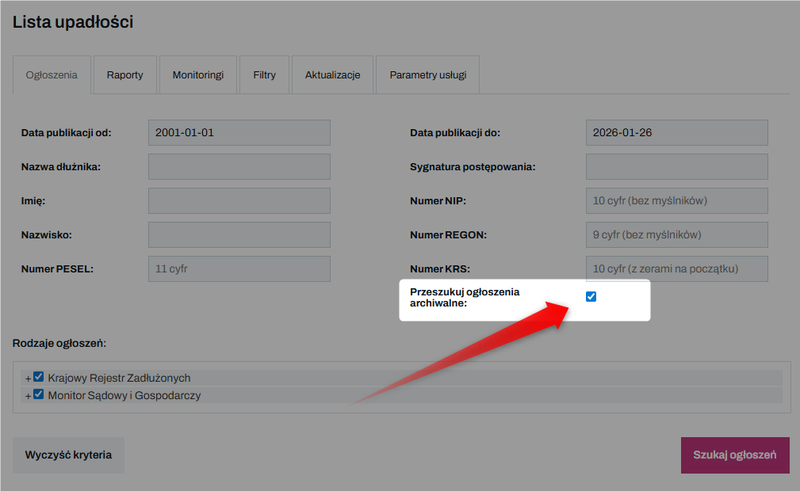
Archive searches are subject to a volume limit based on your plan (see the "Limits" section for more information).
Search results
After clicking "Search listings," the system will display a list of matching results:
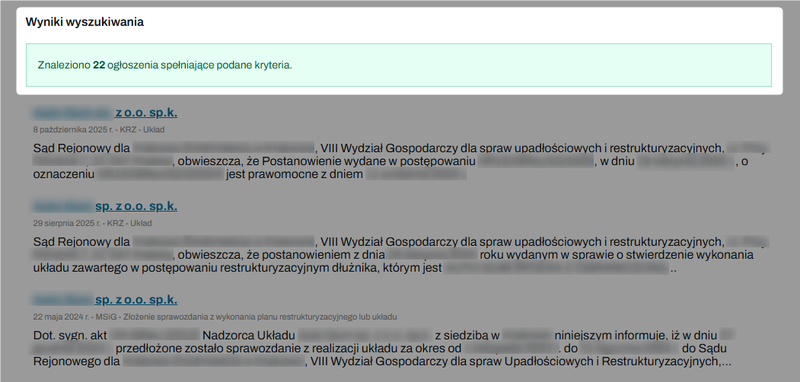
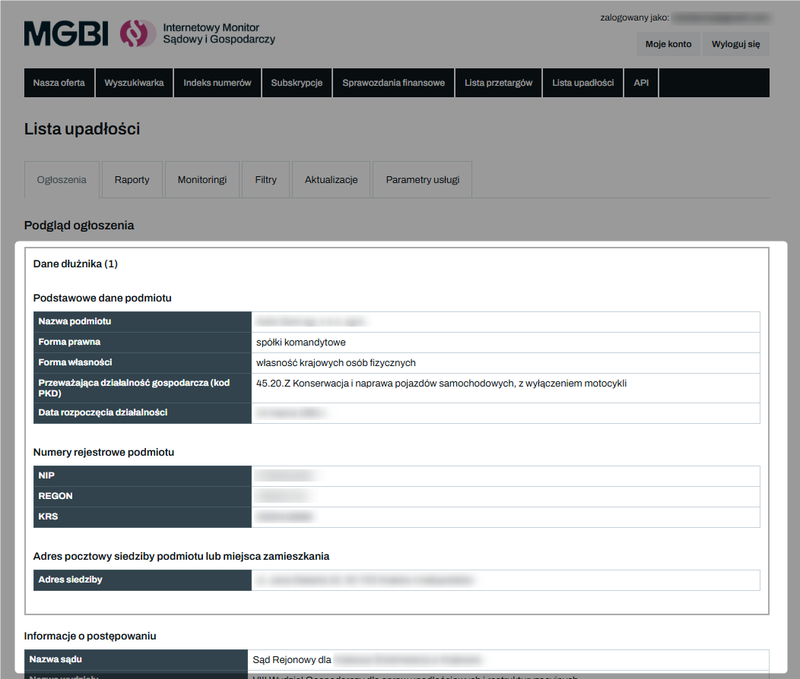
Once you select a specific notice, you can view its full text and the details of the procedure.
A. Debtor’s details: name, legal form, registered office address, PKD codes, registration numbers.
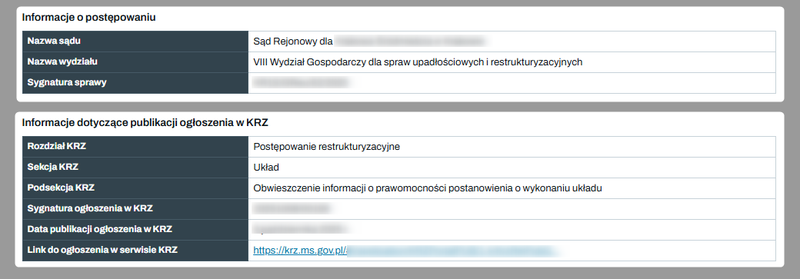
B. Details of the proceedings: name of the court, case number, name of the supervisor or trustee, important deadlines (e.g., the deadline for filing claims).
C. Full text: The original text of the announcement is at the very bottom of the page.

Limits
The use of the search engine for notices in the Bankruptcy List is subject to the following limits:
1️⃣ Current Listings - specifies the total number of debtors for whom you can view current listings each month (in the search engine, report, or via the API).
- In the Mini and Standard plans, each click of the "Search"button (regardless of whether results are found) reduces your limit.
- In the Pro and Enterprise plans, there is no limit on the number of current debtors you can search for.
2️⃣ Archived Listings – refers to the number of clicks, but specifically to the total number of unique debtors (Tax ID/Personal ID) checked in a given month.
Checking the same debtor again in the same month does not deduct another point from this limit.
3️⃣ Inquiries about individual debtors - a common limit on the number of inquiries about individual debtors on the iMSiG.pl and via the API.
👉 Learn more about limits: How do I check my limit usage in the Bankruptcy List?
👉 Check out our current offerings and price list: Bankruptcy List - Price List