
Once the report has been successfully generated and your account has been charged, the website will automatically redirect you to the "My Datasets"section, where the data you ordered will be ready for download.
The files will be available for download for 30 days after the report is generated. After that time, they will no longer be available on the server.
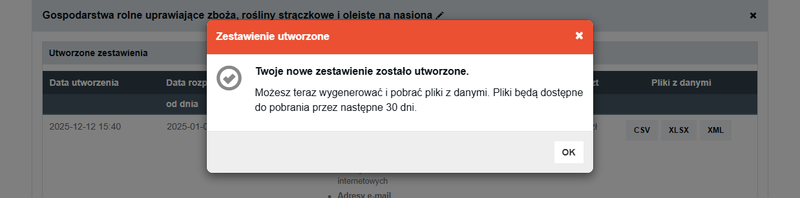
When your files expire or you want to regenerate a report for records you already have (e.g., in a different format), you can create a new report within the same database and select the "only existing" option .
This operation is free—the system keeps track of which records have already been purchased, so you won’t be charged again for the same data.
See the guide: How do I create a new report in the database?
Please note that you can only use the "Owned Only" option if your account is active.
This means that your account must have sufficient funds to cover the monthly fee for maintaining the account’s technical readiness (50 PLN net).
If you do not have sufficient funds, you will not be able to generate files until you top up your account.
Check out the instructions: How do I add funds to my account on the website?
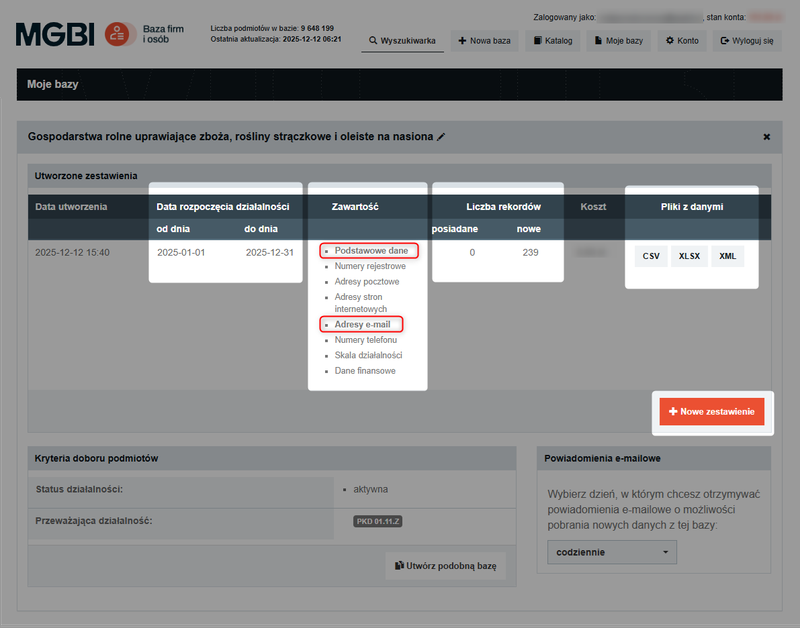
The section for each database you create displays a list of the reports generated for it, along with basic information:
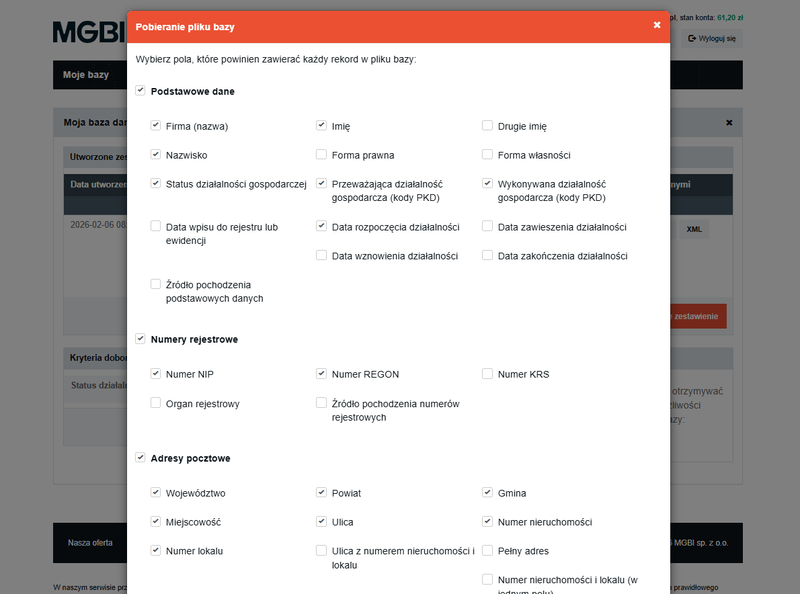
When downloading the order file, you can choose which specific fields (e.g., company name, tax ID, addresses, email, or phone number) should be included in the list— each selected field will correspond to a single column in your file.
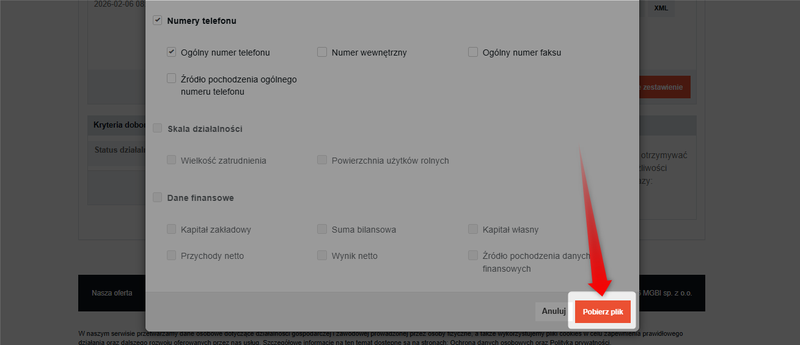
To complete the process, click the "Download File" button—the report will be generated and saved to your device in ZIP format (a compressed folder).
Depending on the number of records and the scope of the selected information, the file generation process can take anywhere from a few seconds to as long as several minutes.