
Manually checking each business partner in a search engine is effective for individual queries. However, if you want to monitor the legal status of hundreds or thousands of entities at once, the most effective solution is the Monitoring feature, available as part of the Bankruptcy List on the iMSiG.pl.
In practice, monitoring is an automated email newsletter that regularly notifies you of new entries in the National Debt Register (KRZ) and the Court and Business Monitor (MSiG) regarding the entities or individuals you have specified.
Step 1: Creating filters
To let the system know who to follow, you need to create a Filter—a list of usernames.
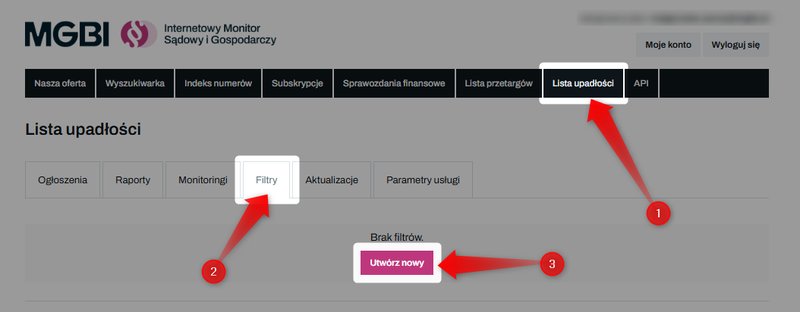
Log in and go to the "Bankruptcy List" tab. Then go to the "Filters" tab and click "Create New."
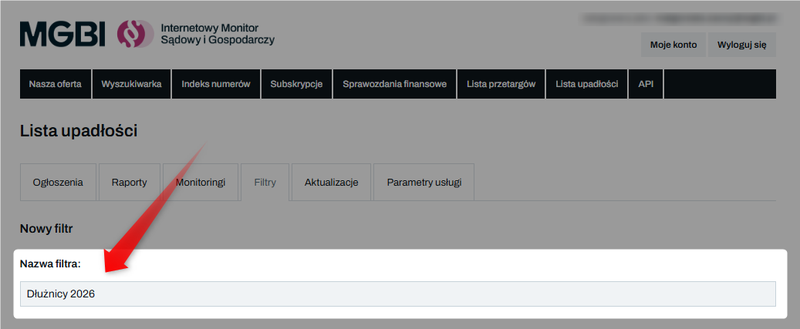
Give the filter a name (e.g., "Debtors 2026")—it will appear in the subject line of your email notifications.
In the text field, paste the debtors' identification numbers (NIP, PESEL, KRS, REGON) or case reference numbers. Each identifier should be on a new line.
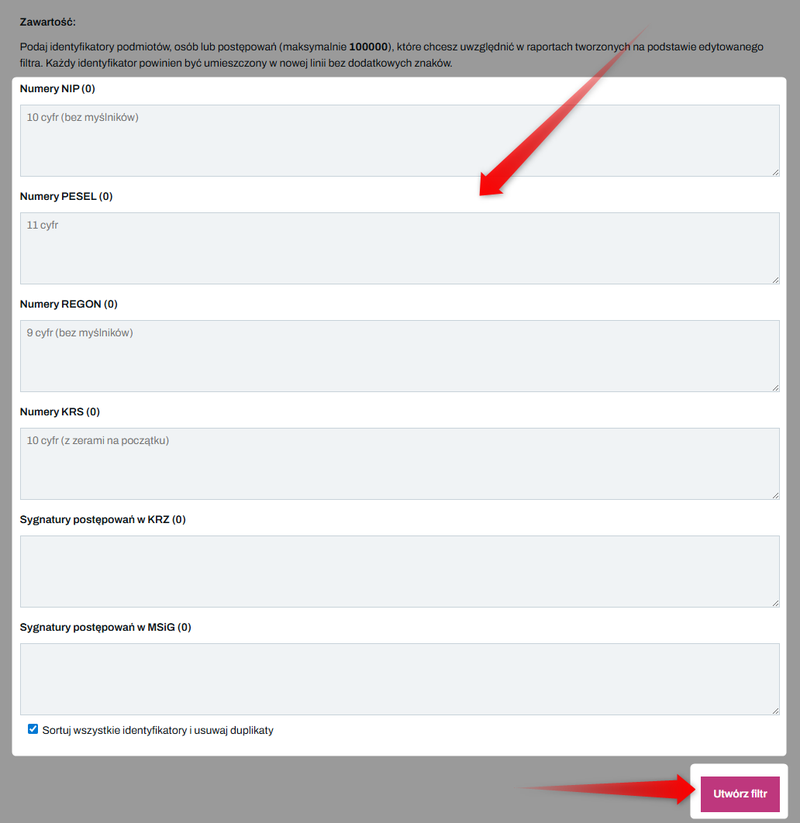
When working with a large number of IDs, it’s a good idea to use a tool that automatically sorts IDs and removes duplicates. This allows you to “clean up” the list in no time.
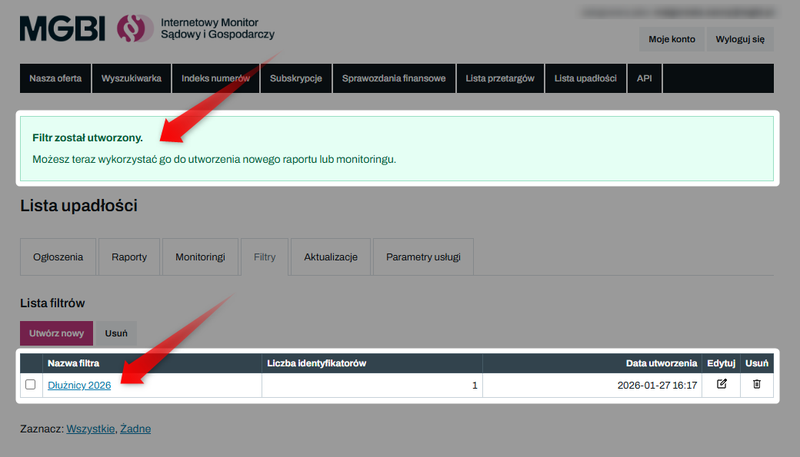
Click "Create Filter." You will be notified that you can now use the filter to create a new monitoring rule.
Step 2: Setting up automatic email notifications
Once your filter is set up, you can configure monitoring to send reports to the email address of your choice.
Go to the "Monitoring" tab and select "Create New".
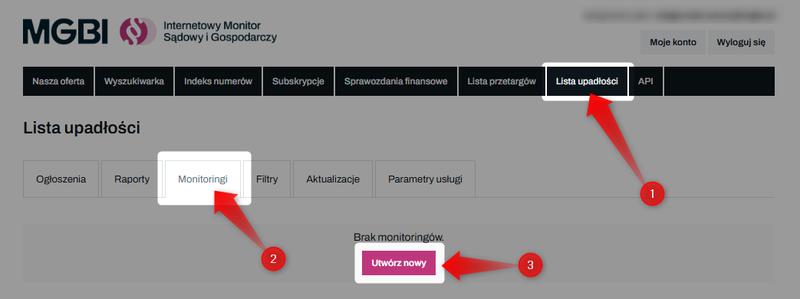
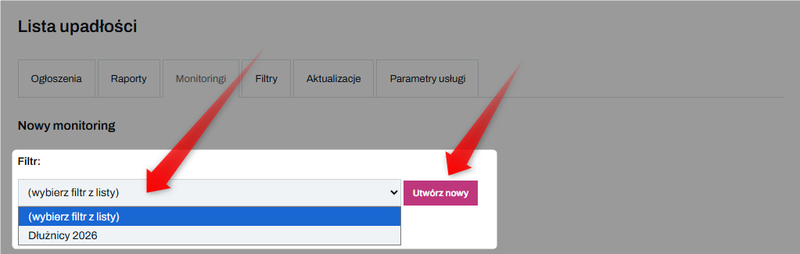
On the newly opened page, select a predefined filter from the drop-down list or click "Create New" to access the filter wizard (see Step 1: Creating Filters).
If you want the monitoring feature to notify you of all new listings added to the system since your last email notification, you can leave this field blank (this option is available only on Pro and Enterprise plans).
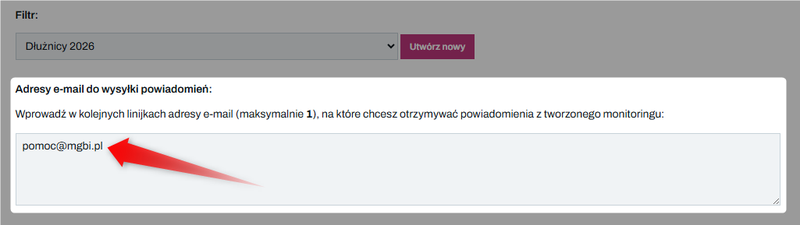
Enter the email address below where you want to receive notifications (it does not have to be the same address you provided when registering your account at iMSiG.pl).
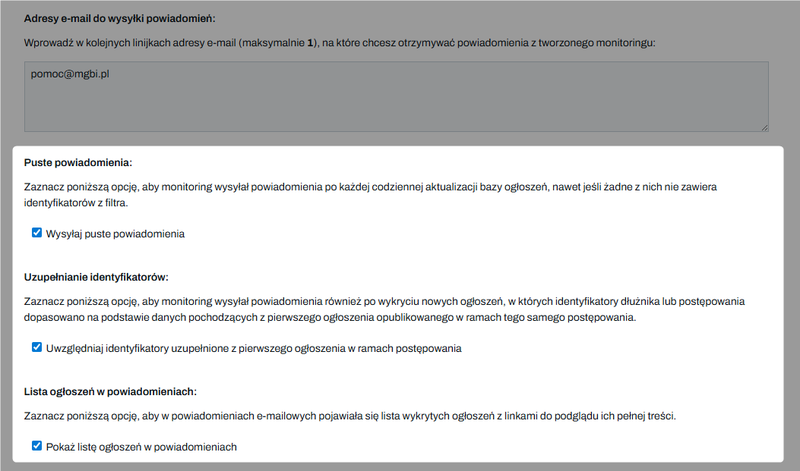
Configure additional options:
- Autofill Identifiers – when you select this option, the system will automatically assign NIP/PESEL numbers to notices that were originally missing them. This is crucial for data from the Ministry of Justice and Administration (MSiG), where full identifiers often appear only in the initial notice. This ensures you won’t miss subsequent stages of the same debtor’s case.
- Send empty notifications —enable this feature if you want to receive an email even on days when no announcements regarding your debtors have been posted, or if you want to download all announcements we’ve published since the last notification was sent.
- Show a list of listings in notifications —this allows you to view excerpts and URL links to listings directly within the email. If the notifications you receive are too long, you can turn this option off.
Decide which format you'd like to receive messages in:
- HTML – recommended for everyday use – includes formatted content, excerpts from listings, and active URL links to view the full content in the website dashboard.
- Text-based – a simplified, lighter version of the notification. Use this if your email client doesn't accept HTML messages or if they end up in your spam folder.
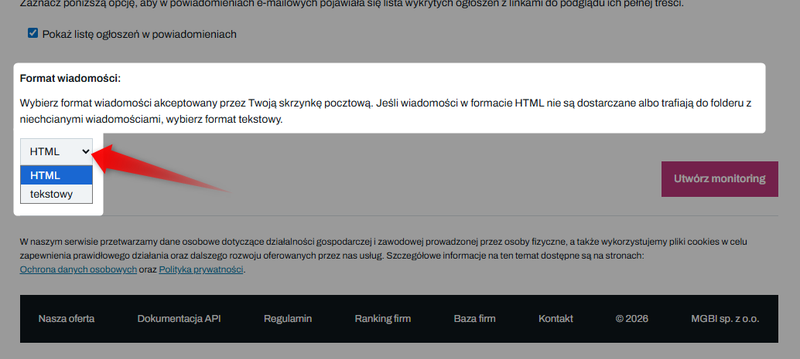
Once you've finished setting it up, click "Create Monitoring."
How do notifications work?
The system operates in daily mode, analyzing data from the previous day to ensure the completeness of the information.
Email notifications are sent every morning (usually around 6:00 a.m.).
In every monitoring email, you'll find a link that allows you to instantly generate an Excel report containing all the listings included in the notification.
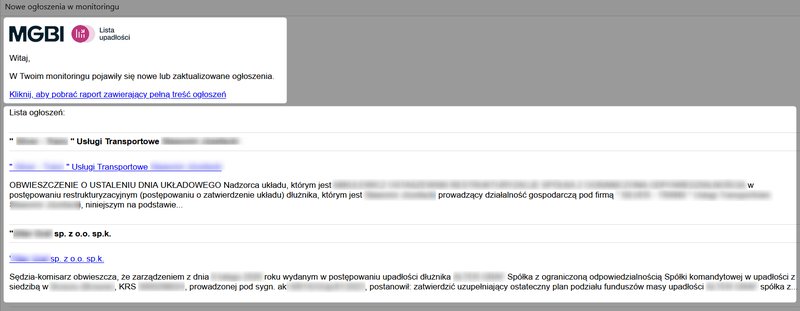
For more information about reports, see the guide: How do I export the content of multiple bankruptcy and debt restructuring notices into an Excel file?
Limits
The automatic email notification feature in the Bankruptcy List has two main limits:
1️⃣ Monitoring - specifies how many separate "newsletters" (distinct groups of debtors or notifications sent to different email addresses) you can set up in your account.
2️⃣ Debtors under monitoring – the limit on the number of entities you can monitor within a single active monitoring session (capacity of a single filter).
- In the Pro and Enterprise plans, there is no limit on the number of debtors that can be monitored, which allows you to track all new listings in the database without having to upload your own lists of tax identification numbers.
- In the lower-tier plans, if you want to monitor more debtors than a single filter allows, divide them into smaller groups and set up multiple monitoring tasks.
👉 Learn more about limits: How do I check my limit usage in the Bankruptcy List?
👉 Check out our current offerings and price list: Bankruptcy List - Price List