
In this guide, we provide a brief overview of the website’s features, the types of data available on it, and how you can use them in your daily work.
Detailed instructions on creating databases, reports, and managing your account are provided in separate guides.
What should you know?
The service allows you to create a database of companies based on specific criteria. Using precise filters, you can easily obtain a list of companies that meet your criteria—for example, those located in a specific geographic area or engaged in a particular type of business.
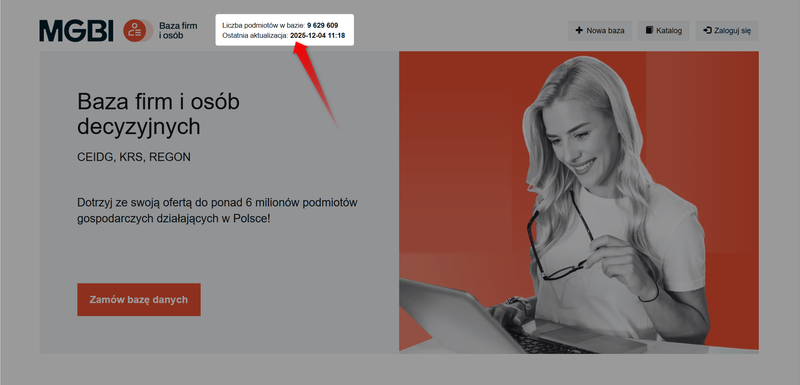
On the website's home page, you'll find statistics showing the date of the last data update and the total number of entities in the database.
Sources, data scope, and updates
The data on this website is sourced from public registries— CEIDG, REGON, and KRS —and is updated daily.
They cover a wide range of entities registered in Poland, including:
- Sole proprietors (registered with CEIDG).
- General partnerships, commercial partnerships, and limited partnerships (registered with the National Court Register).
- Individual farmers (with a REGON number).
- Civil society organizations (e.g., associations, foundations, labor unions) and public institutions.
Each record can contain a variety of information organized into "information groups":
- Basic company information.
- Mailing addresses, registration numbers, contact information (email, phone).
- Information describing the scale of operations (e.g., number of employees, number of vehicles, area of farmland).
- Financial data (e.g., share capital, net revenue, net income) – available for entities listed in the National Court Register (KRS) that file financial statements.
Methods for collecting databases
A. Creating a Custom Database
If you need a specific list of company data (e.g., construction micro-enterprises located only in Mazovia that were established in the last month), use the wizard.
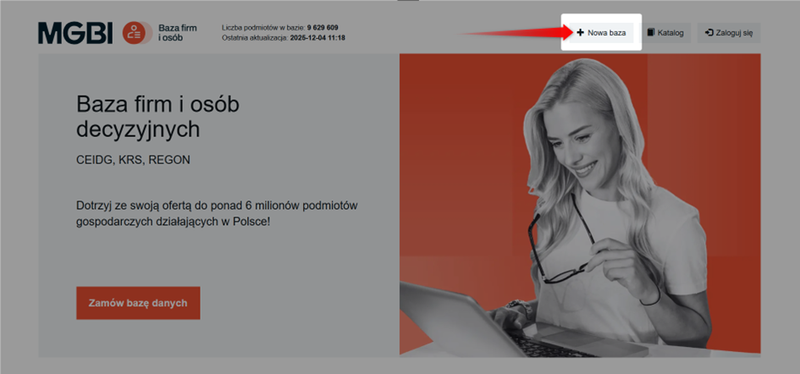
To get started, after logging in, click the "New Database"button in the menu at the top of the page.
The wizard offers a variety of filtering options:
- Business status: active, dissolved, suspended.
- Duration of operation: option to filter by date of establishment (e.g., companies established within the last month).
- Industry (PKD): Select the primary business activity or the business activities performed (including secondary activities).
- Location: Search by administrative division (province, county, municipality, street) or using the Map (a circle with a specified radius centered on a point or ZIP code).
- Legal form: search for companies, sole proprietors, foundations, political parties, and more.
- Scale of operations: filtering by number of employees (SME thresholds) or agricultural land area (for farms)
- Financial data: filter by share capital, total assets, net revenue, or net income (applies to entities listed in the National Court Register).
- Filter files: an advanced option that allows you to include or exclude records based on your own list of tax ID numbers (NIP), business registration numbers (REGON), company registration numbers (KRS), email addresses, or phone numbers.
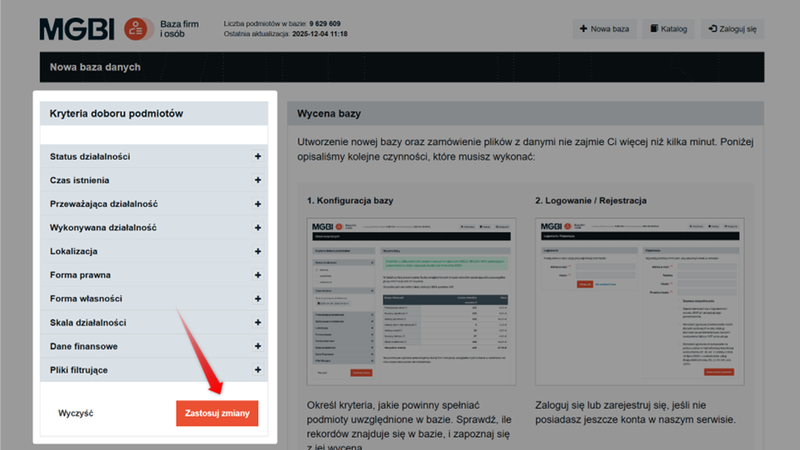
Once you've set the criteria, click "Apply Changes"to view a preliminary quote for the database.
Would you like to learn how to create a new database step by step using filters?
See the guide: How do I create a new database?
B. Using the catalog of pre-built databases
If you don't want to set all the criteria yourself, you can use the Catalog.
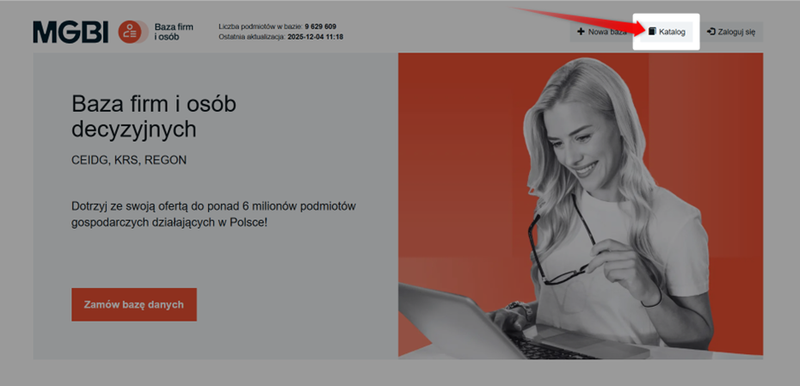
The catalog offers predefined datasets that are categorized by industry, region, or legal form.
This is the easiest way to quickly request data without having to set filters yourself in the wizard.
We describe the entire purchase process—from selecting the right industry to downloading the finished file—in our guide: How to order a database from the catalog?
Ordering Process and Data Management
The process of purchasing data on the website is based on a "prepaid" (wallet) model.
To complete your order, you must have sufficient funds in your account (wallet). You can download a VAT invoice for each payment from your account.
For more information about adding funds, see the guide: How do I add funds to my account on the website?
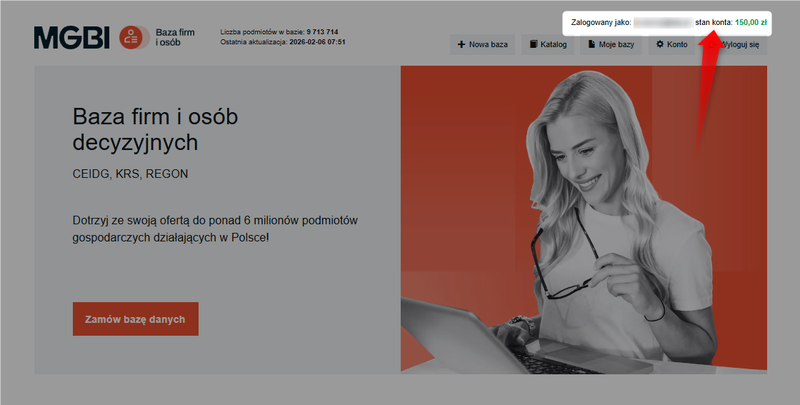
The cost of a single record is the sum of the prices of all selected data fields (e.g., address, phone number, website).
Database pricing and new summary
Once you've set up your account and completed the login or registration process, you'll be able to create a new report.
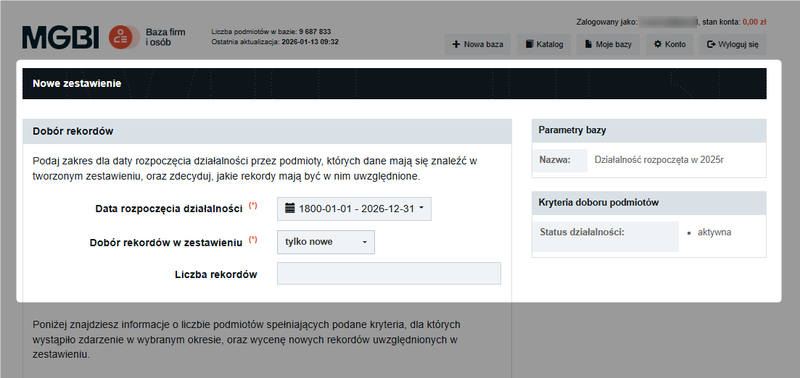
At this stage, a detailed cost estimate is also prepared:
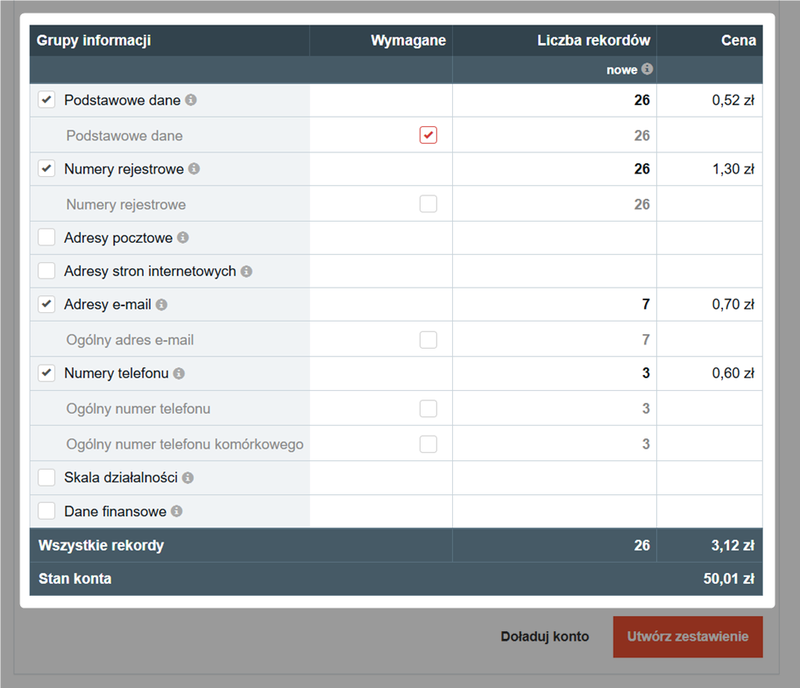
Unlike the initial setup, at this stage you can mark specific fields as "Required" (e.g., a general email address or mobile phone number).
- At least one field or group of information must be marked as required. It does not have to be the Basic Data section (this is the default setting).
- Marking a field as required automatically reduces the number of records in the final report and lowers the price, since you only pay for records that contain all the required data.
If you have sufficient funds in your account, click "Generate Statement."
The requested report is sent to the "My Databases" section. The files are generated and available for download in CSV, XLSX, or XML formats. You can download the files from your account for the next 30 days.
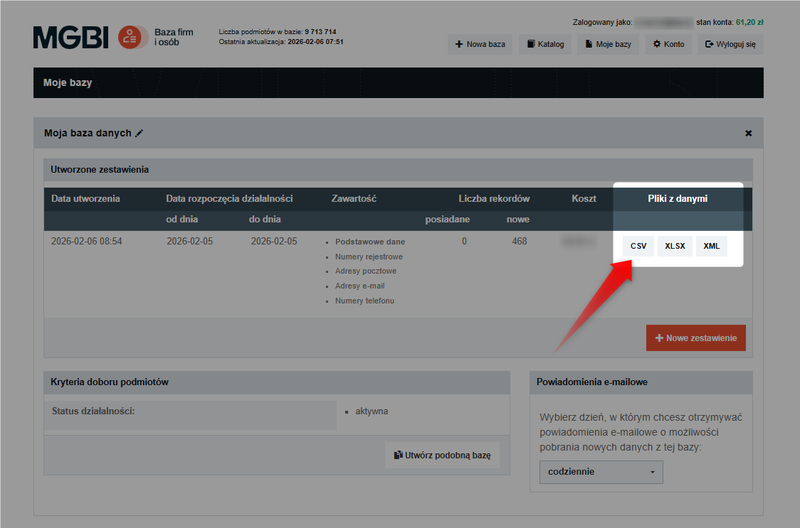
Data reuse and updates
The service keeps track of which records you've already purchased, so you don't have to pay twice for the same data.
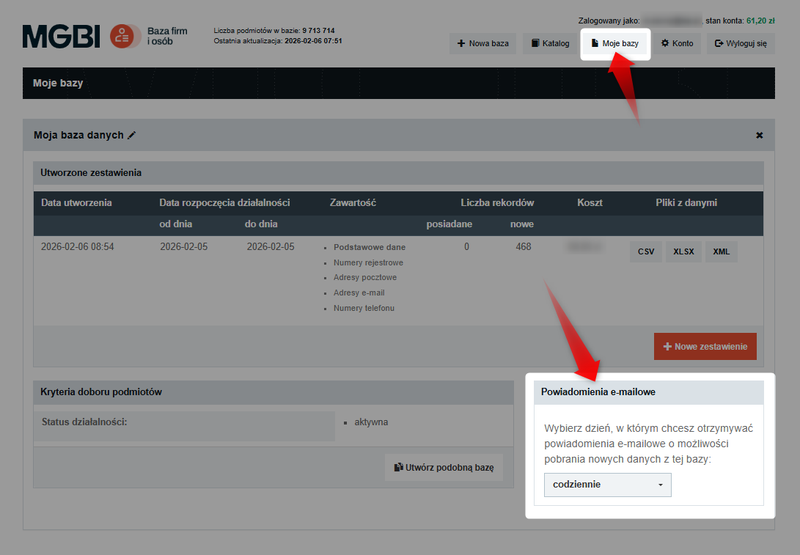
In the "My Databases" section, you can create a new report within an existing database.
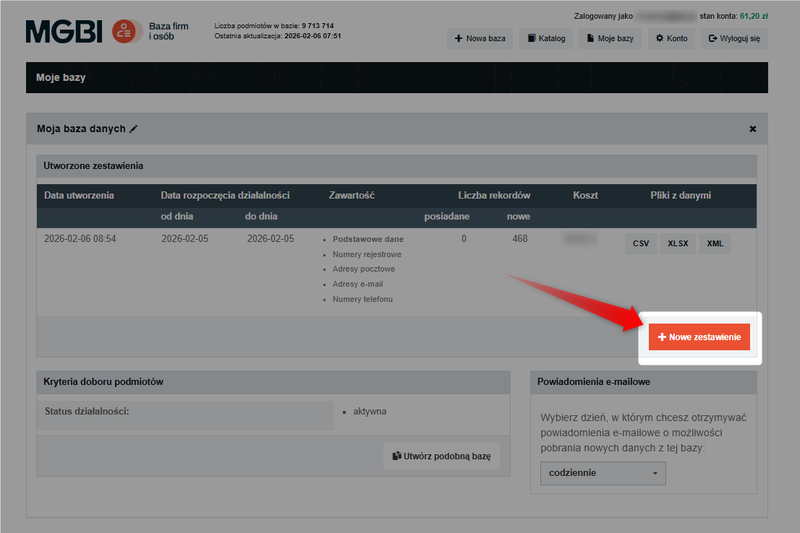
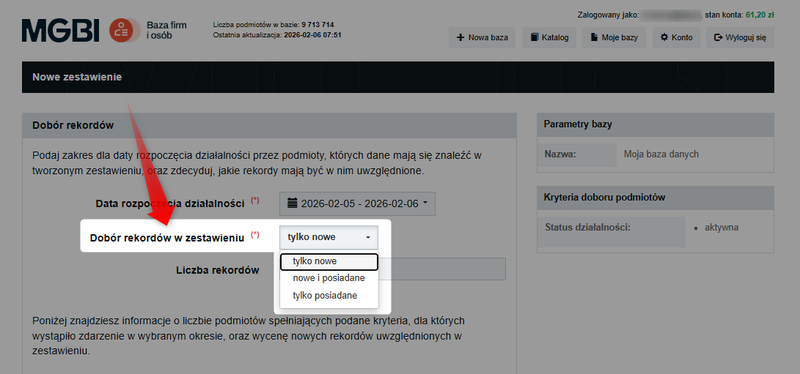
Use the following options:
- "only new"to update the database with records that have been added since it was created,
- “new and existing”so that, for example, you can purchase email addresses for companies you already own,
- "only owned" to regenerate the report for the records you own (free of charge).
You can also set up email notifications for new records that meet your database criteria (daily, weekly, or monthly).
All data purchased on the Business and People Directory website is covered by an unlimited license.
This means you can use the database repeatedly, without any time limit and for any purpose, except for redistribution.