
In this guide, we provide a brief overview of the website’s features, the types of data available, and how to use them in your daily work. Detailed instructions can be found in separate guides.
Bankruptcy List is one of the services offered by iMSiG.pl that supports debt collection, risk management, and compliance departments in the ongoing monitoring of the legal status of business partners.
By integrating data from official government registries, the service enables automated monitoring of debtors and a rapid response to events indicating insolvency.
What should you know?
The bankruptcy registry is used to monitor the progress of bankruptcy, restructuring, and liquidation proceedings involving selected business entities and individuals.
Using this service allows you to, among other things:
- Verification of the debtor's history —checking whether the business partner has previously undergone bankruptcy or restructuring proceedings.
- Capital protection —prompt notification of bankruptcy allows banks, for example, to immediately freeze accounts and secure funds for the bankruptcy trustee.
- Time savings —instead of manually searching through logs, the system provides ready-made reports and notifications.
Data sources
The system integrates listings from two official government registries:
1️⃣ National Debt Register (KRZ)
KRZ is a fully electronic system. Data is updated hourly on business days (from 7 a.m. to 9 p.m.).
Due to the nature of KRZ's operations, we recommend setting the end date for your search or report to the previous day.
The full list of listings for a given day is usually available the following morning, which is important for daily analysis and reporting.
2️⃣ Court and Business Monitor (MSiG)
This is a nationwide official gazette. The database is updated once a day, usually around 11 a.m.
Publications in the MSiG are usually posted a few days after the court entries.
At the same time, it is often the date of publication of the notice in the Official Gazette that determines the start of legal deadlines, such as the deadline for filing claims.
Database updates
This service provides a clear overview of how new data is fed into the system. Using the "Updates" tab, you can check in real time whether the latest announcements from the sources you're interested in are already available in the dashboard.
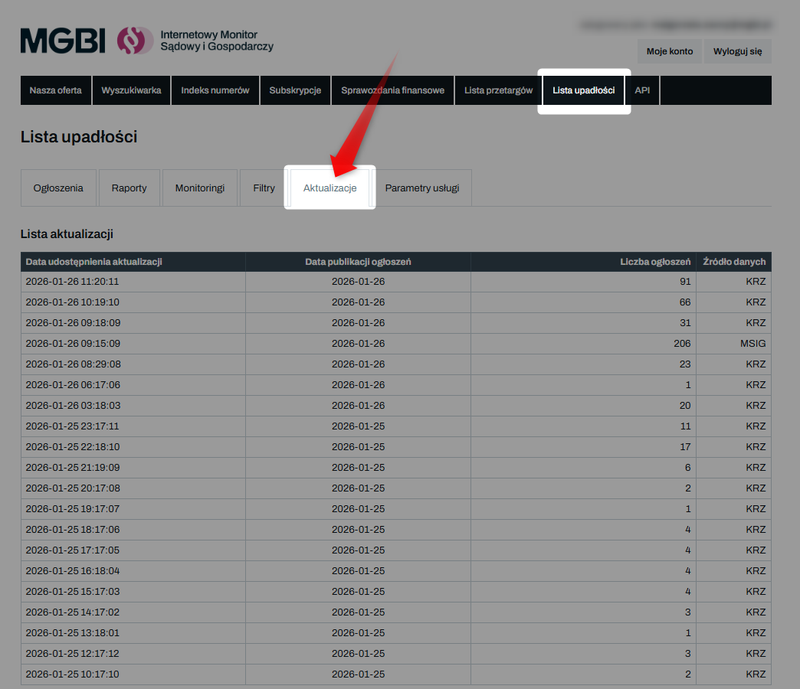
In this view, you can check four key pieces of information:
- Release date of the update – the exact time (day and hour) when the data became available in the MGBI service.
- Date of publication of announcements – the date on which the announcements were officially published in the original source (MSiG or KRZ).
- Number of entries - indicates how many new records were added to a given batch.
- Data source - indicate whether the update pertains to the Court and Business Monitor or the National Debt Register.
Instead of generating reports "blindly," you can first check the Updates tab to see if the system has already imported the latest listings for that day.
Key Concepts: Bankruptcy, Restructuring, and Liquidation
To interpret the results correctly, it is essential to distinguish between the basic types of legal events:
- Bankruptcy —applies to insolvent debtors and results in the liquidation of their assets. It also covers consumer bankruptcy for individuals.
- Restructuring —a corrective process aimed at avoiding bankruptcy by reaching an agreement with creditors.
- Liquidation of a company —a proceeding initiated by the company’s shareholders or by the registry courts, for example, in the absence of a management board or in the event of failure to comply with reporting obligations.
Data on company liquidations is available as part of an additional service that can be purchased after gaining access to the Bankruptcy List.
The system also contains information on court-imposed bans on conducting business activities.
Current / archived data
The range of available listings is closely tied to when the service is activated:
Current Announcements
- include all posts published starting from the first day of the month in which the service was activated,
- In the Mini and Standard plans, searching for current data requires entering a specific debtor identifier (NIP or PESEL).
Archived announcements
- include all data prior to that date (dating back to 2001),
- Archive searches are subject to volume limits, which depend on the plan you have selected.
You can find detailed information about subscription plans here: Bankruptcy List - Price List
Methods for Working with the Bankruptcy List
The service offers four basic ways to access data:
1️⃣ Search Engine (Listings) – allows you to manually check a single debtor using their tax ID number ( NIP), personal identification number (PESEL), National Court Register number (KRS), Statistical Identification Number (REGON), or case reference number.
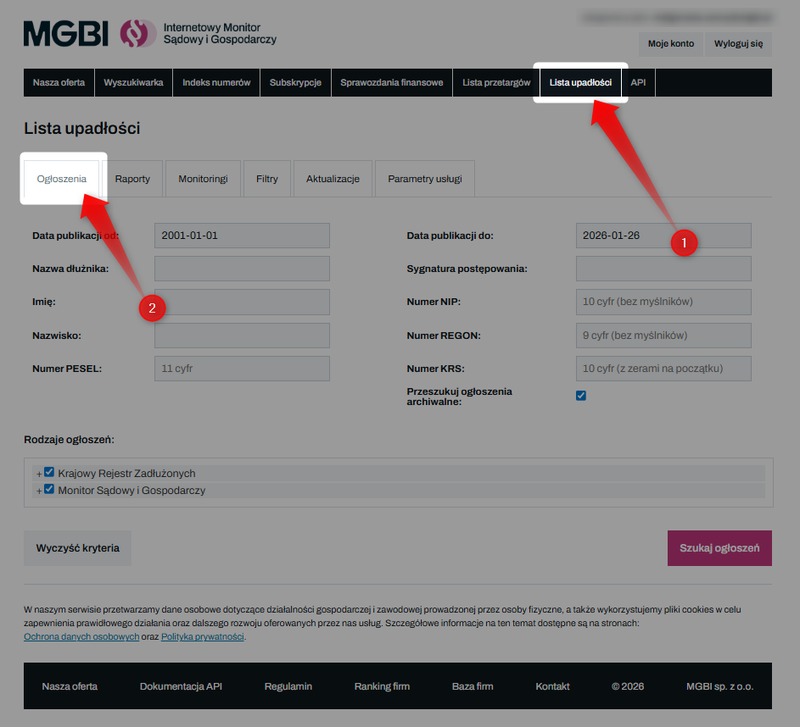
See also: How do I search for notices regarding a debtor’s bankruptcy or restructuring?
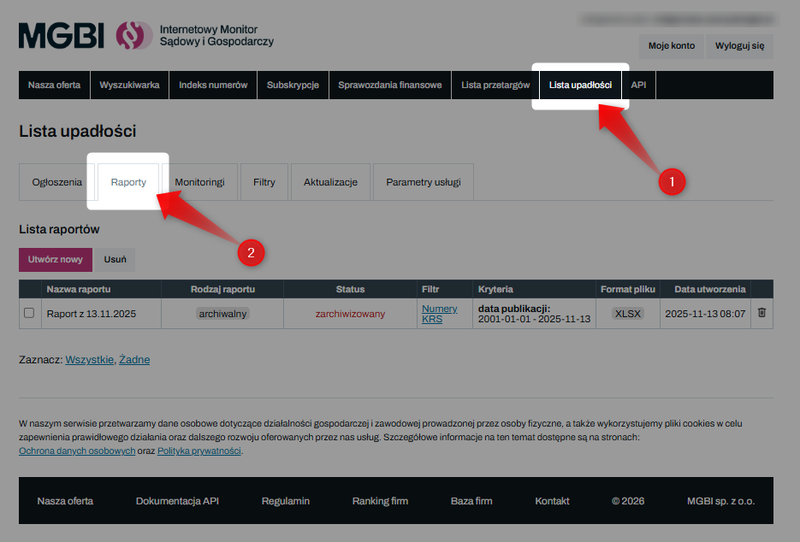
2️⃣ Reports (Data Export) – allow you to generate summary reports in XLSX, CSV, XML, JSON, and DEF formats for further analysis or integration with other systems.
3️⃣ Monitoring (Newsletter) – a system of automated email notifications sent every morning summarizing the previous day’s activity. Monitoring includes only new listings that meet the defined criteria.
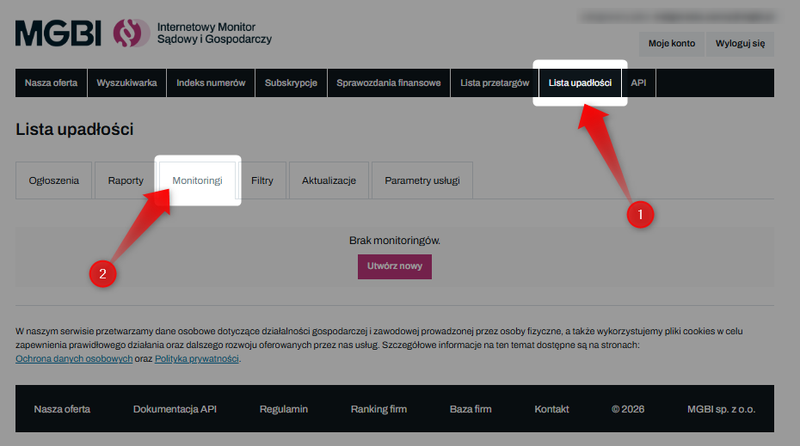
See also: How to monitor new bankruptcy and restructuring filings for multiple debtors?
4️⃣ API integration – a solution that enables automatic data retrieval directly into the company’s internal systems (e.g., CRM, debt collection systems).
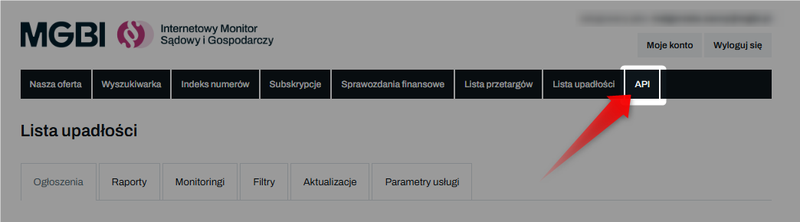
Our API offers two search options:
- Searching for individual debtors —allows you to check listings for specific tax ID (NIP) or personal identification (PESEL) numbers. This is the best solution when you want to monitor a closed list of business partners.
- Download all new listings (updates) – this allows you to download complete data packages published during a selected period without having to provide us with your debtors’ IDs.
You can find the complete API documentation here: Bankruptcy List - API Documentation
See also: